
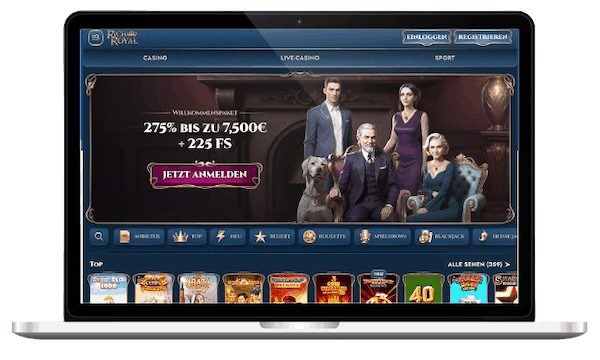
I’ve dedicated many hours testing mobile slot platforms, and I can tell you that playing on your phone is not anymore a compromise. The gameplay is fluid, quick, and considerably immersive than you’d anticipate. richroyalcasino has created a mobile app page that zeroes in on what Norwegian gamers actually want. In this walkthrough, I’ll show you getting started, which devices work optimal in real use, and the setup mistakes I see most frequently.
Downloading the Rich Royal Casino App on iOS
If you’re on an iPhone or iPad, obtaining the app is straightforward. The Rich Royal Casino app page identifies your device automatically. You’ll find a download button specifically for iOS. Press it, and it guides you through adding the app to your home screen. No requirement to mess with your Apple ID region or fire up a VPN.
Once the icon shows up on your home screen, launch it once to finalize setup. You might be prompted to verify the web app. That’s normal for casino platforms that bypass App Store restrictions. The app then runs in its own full-screen mode, and honestly, it feels exactly the same to a native app.
Device Support: The Best Options
You don’t need a brand-new flagship phone to have a great experience with mobile slots. I tested the Rich Royal Casino app on phones from several years ago. Provided that your device features at least 4GB of RAM and a 720p screen or better, most slots perform without a hitch. Older phones might take a moment longer to load, but they’re still perfectly playable.
The following list covers the minimum and recommended specifications I recommend for Norwegian players:
- Android version 10 or newer, with 4GB RAM minimum and 6GB recommended.
- iOS OS 15 or newer, including iPhone 8 and all subsequent models.
- Stable Wi-Fi or 4G connection; 5G is ideal for interactive slots.
- No less than 500MB of free storage for the app and buffered game data.
Installing on Android devices and Tablet devices
Android users get an easier route. Head to the Rich Royal Casino app page using Chrome. Click the download button, and an APK file begins downloading. Before opening it, open your security settings and enable installs from unknown sources. That’s a temporary step, and it unlocks the full app experience.
After installation, the icon appears in your app drawer just like other games. I recommend leaving automatic updates turned on when asked. Rich Royal Casino frequently boosts performance and releases new slot titles. The Android version usually sees those updates a little earlier than the iOS web app.
Configuring Your Account on Smartphone
Creating an account from your mobile takes within five minutes. Start the app, tap register. You’ll need a valid Norwegian phone number or email. Verification is rapid, typically just a couple of minutes. If you’re planning to deposit right away, I’d have your BankID handy.
Once you’re enrolled, choose a deposit limit that fits your budget. Norwegian players appreciate responsible gambling tools, and Rich Royal Casino places them right in the mobile menu. You can tweak limits, establish session reminders, or have a cooling-off break without leaving the app. It’s not hidden away on a desktop-only page.
Depositing and Withdrawals from Your Phone
Phone banking is common in Norge, and Rich Royal Casino accepts the payment methods you already rely on. Vipps, bank transfers, and major debit cards all function within the app. Deposit amounts arrive instantly in most cases. I’ve yet to wait over a minute for funds to show up in my balance. The deposit screen is simplified to reduce typos.
Payouts operate in the same manner. Open the cashier, pick your method, enter the amount. The app shows the expected processing time before you confirm. With Norwegian bank transfers, plan on one to three business days. E-wallets, when available, are often faster. Make sure your verification documents are already uploaded to avoid interruptions.
Navigating the Slot Lobby on a Tiny Screen
The mobile lobby is not a plain list. Rich Royal Casino arranges slots by provider, volatility, and theme. I use the search bar all the time when I know precisely which game I’m after. You can refine by things like Megaways, bonus buy, or jackpots too. The filter buttons are big enough to tap without pinching to zoom.
Launch a slot, and it instantly flips to landscape. That offers you the full reel view with no black bars on the sides. The spin button is on the right edge, and the bet adjuster on the left. I really like that the app saves your last bet size for each game, so you’re not resetting it every single session.
Common Mobile Issues along with Fast Fixes
A solid app could hiccup. The problem I run into most is a slot stopping right in the middle of a bonus round. Nearly every time, it’s a connection glitch, instead of the game. Shut the app fully, reopen it, and the game picks up from that exact spin. Your balance and bonus progress are saved on the server.
If the app starts sluggish, clear the cache from your phone’s settings. Don’t uninstalling unless support tells you to. There’s a live chat button right in the mobile menu. I’ve used it a couple of times, and both times an agent replied to me within two minutes. They are also able to push a manual update to your device if necessary.
Tips for a Enhanced Mobile Slot Session
Small habits go a long way. I consistently flip on Do Not Disturb before a lengthy session. Notifications tend to pop up right above the spin button or break a bonus pick. Moreover, maintain your phone charged or plugged in. Those crisp slot animations drain your battery faster than you’d think, particularly on aging phones.
Here is a short checklist I follow before every mobile session:
- Get on Wi-Fi or check that your mobile data signal is strong.
- Shut down background apps to clear memory.
- Set a time or loss limit in the responsible gambling menu.
- Switch your phone to landscape before opening the slot.
- Make sure your sound is on or off, depending on the manner in which you wish to play.
Why Mobile Slots Feel Different in 2025
Slot games nowadays are built for touchscreens from scratch. Buttons are placed right where your thumbs land, and animations resize neatly for smaller screens. On a steady Norwegian 5G connection, I’ve observed load times outpace what I achieve on a desktop browser. The end product is a session that comes across as quick and tailored, not a squeezed copy of a computer game.
Rich Royal Casino has fully embraced this. Their app page is structured for direct access—no app store searching, zero waiting for large downloads. The mobile experience is built around instant play and fast navigation. That’s vital when you’ve barely have ten minutes on a bus or during lunch.
Closing Remarks on Slot Games on Mobile at Rich Royal Casino
Enjoying slots on your phone is now the main way most Norwegian players play casino games. Rich Royal Casino has developed an app page and a mobile experience that considers your time and your device. From fast downloads to responsive support, the platform removes the friction that once made mobile play feel like an afterthought. I’d suggest trying a few different slot providers to see how each one performs on your particular phone model.